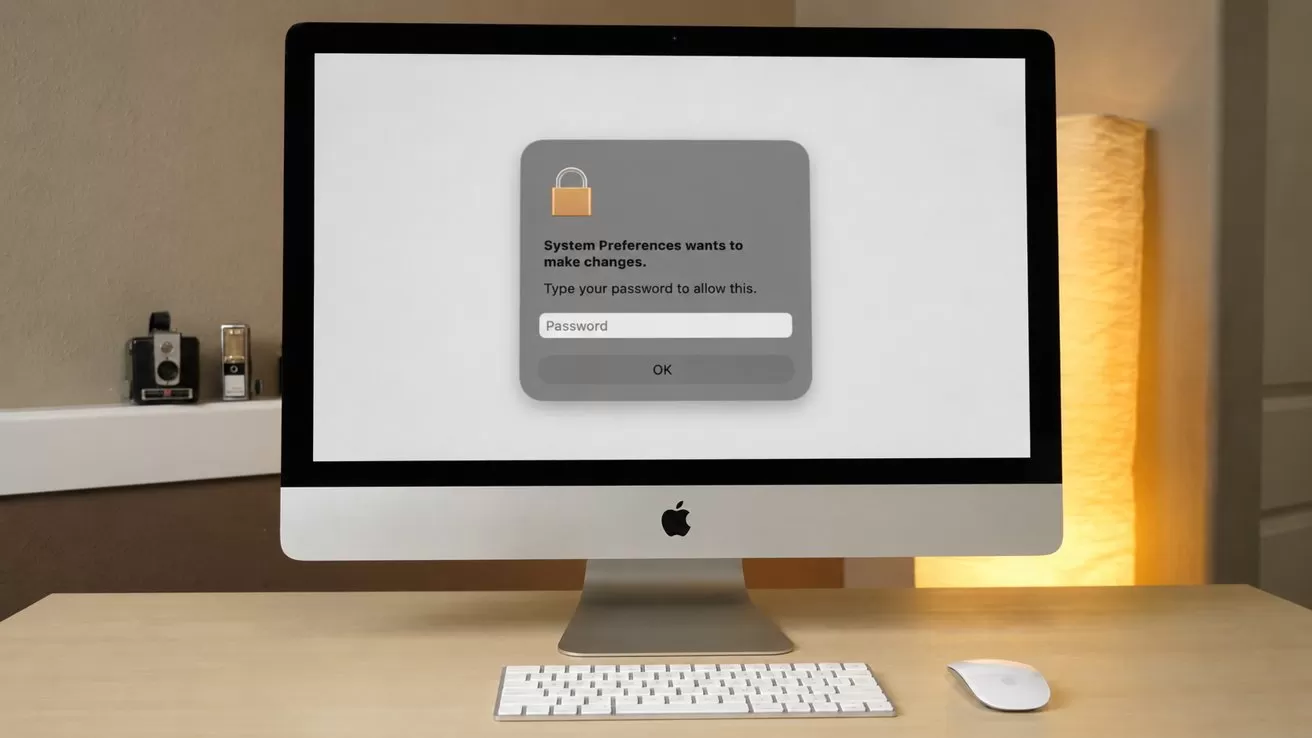
CrashStealer, a newly documented Mac infostealer, used an Apple-notarized meeting app to reach victims before stealing passwords, browser data and cryptocurrency credentials behind a fake system prompt.
Jamf Threat Labs first spotted a suspicious sample on VirusTotal in early May and began seeing matching detections on customer Macs in early July. Further analysis traced the malware to a signed and Apple-notarized first-stage application called Werkbit, giving researchers a clearer view of how the campaign reached victims.
Werkbit carried a valid Developer ID associated with Emil Grigorov and passed Gatekeeper without an unidentified-developer warning. Apple has since revoked the signing credentials associated with the malicious application after Jamf shared its findings with the company's security team.
Jamf found no zero-click stage in the samples it analyzed. A victim still had to download and launch Werkbit, allow the delivery chain to run and enter a valid Mac password before CrashStealer could reach its most valuable targets.
The malware's reliance on user interaction limits the attack, but it doesn't make it harmless. CrashStealer combines a trusted-looking first-stage app, a convincing Apple disguise, extensive data collection, encrypted staging and persistence that brings the malware back after the user logs in.
An Apple-notarized app delivered CrashStealer
Jamf traced the first stage of the campaign to Werkbit, a supposed meeting or collaboration app distributed through werkbit[.]io. The download was gated behind a meeting PIN, which suggests attackers sent it directly to selected victims and kept the installer away from ordinary visitors and automated scanners.
The domain was registered in late June 2026, close to the malware's build date. Its targeted design also makes ordinary search-engine discovery or automated scanning less likely to expose the campaign before a victim receives the required PIN.
Werkbit's executable, named veltod, carried a valid Apple Developer ID and was notarized by Apple. Jamf said even the disk image containing the application was signed, an unusual step that helped the download appear legitimate and pass Gatekeeper checks.
After launch, Werkbit retrieved a hidden instruction file from a GitHub repository named mgothiclove/pkeys. Those instructions directed the app to download an obfuscated script from endpoint-api-v1[.]com, which then fetched, re-signed and launched CrashStealer.
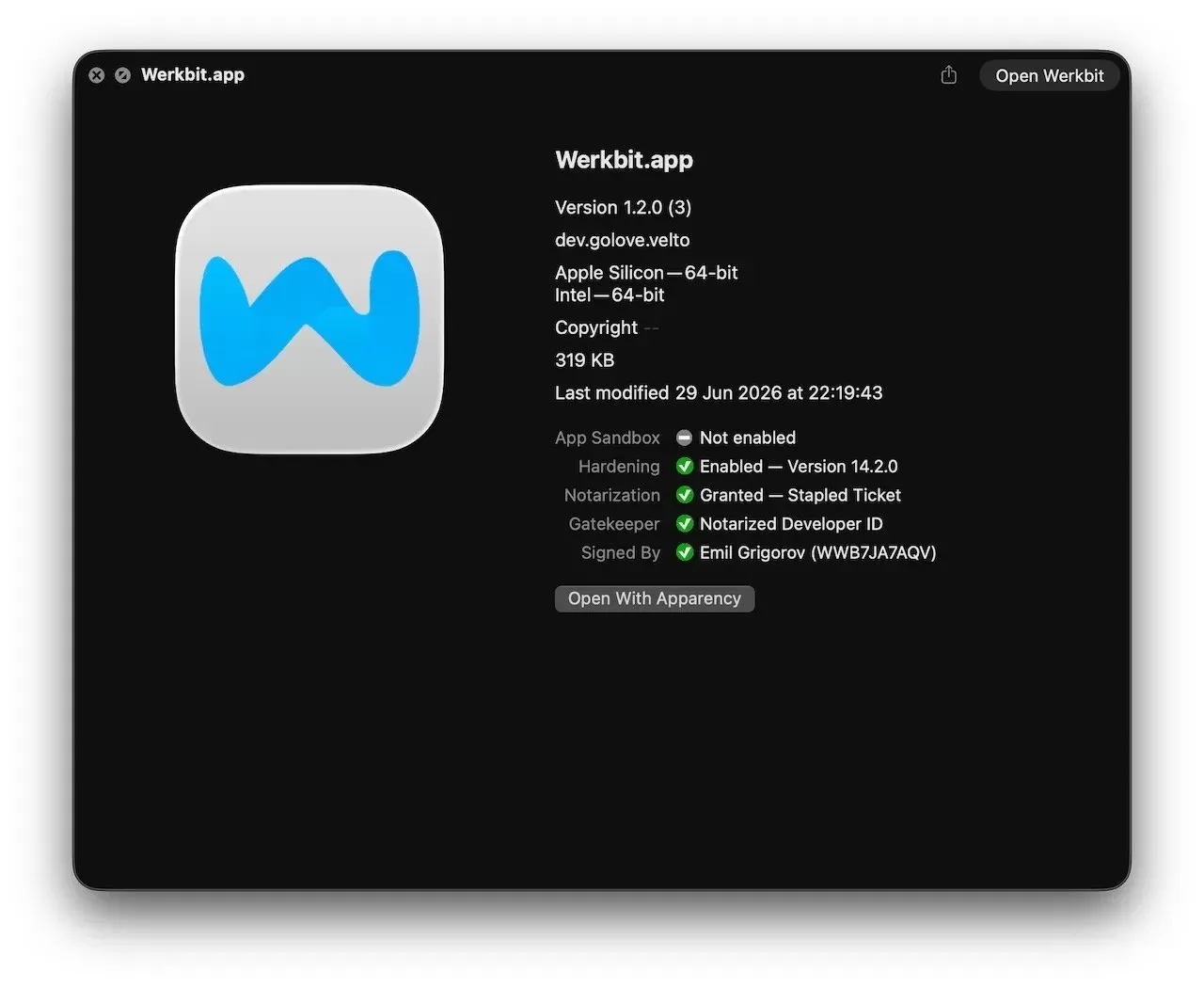 Werkbit.app. Image credit: Jamf
Jamf also found a live login page labeled "Command Panel" on the same attacker-controlled domain. The shared infrastructure links that control panel to the CrashStealer delivery operation, though the researchers didn't describe the panel's full capabilities.
The campaign appears to extend beyond one Mac application. Jamf identified several lookalike meeting and collaboration domains, including names resembling Cohezo, Cordinex, Synerix, Collabox and Werknova, all connected through a shared backend at icky-lyrical[.]com.
Researchers also found a Windows installer alongside the Mac version. That evidence points to a broader cross-platform operation rather than an isolated attempt to distribute a single macOS stealer.
CrashStealer impersonates a macOS component
Jamf's samples were packaged inside a file named CrashReporter.dmg. Opening it reveals CrashReporter.app, which uses the bundle identifier com.apple.crashreporter, an Apple-like icon and a name associated with macOS crash reporting.
Unlike the notarized Werkbit dropper, CrashReporter.app has only an ad hoc signature rather than a valid Developer ID signature. Apple's crash-reporting components are already included with macOS, so an unsolicited download named CrashReporter should be treated as suspicious.
The newly documented delivery chain indicates victims may not have downloaded CrashReporter.dmg directly. Instead, the notarized Werkbit app fetched and launched the CrashStealer payload after contacting GitHub and attacker-controlled infrastructure.
Detected copies ran from a hidden directory at /private/tmp/.CrashReporter/. CrashStealer later installs another copy beneath ~/Library/Caches/com.apple.crashreporter/, placing its temporary and persistent files in locations that are unlikely to attract attention during ordinary Finder use.
The application's permission descriptions claim CrashReporter needs Full Disk Access for "system administration." Other requests ask for access to the Desktop, Documents, Downloads and removable drives.
macOS displays those permission dialogs, but CrashStealer's developer supplied the explanatory text. The wording is designed to make extensive access sound like a normal part of system maintenance.
A fake password prompt opens the keychain
After launch, CrashStealer displays a macOS-style authorization window asking for the user's account password. The prompt looks familiar, but the malicious application is collecting the credential.
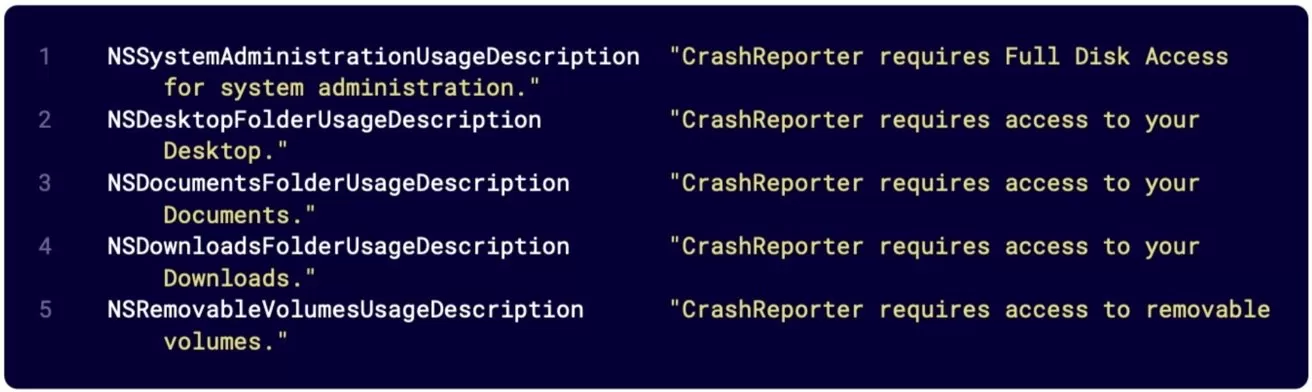 These strings pre-populate the text macOS shows in its permission prompts. Image credit: Jamf
CrashStealer checks the password locally with Apple's legitimate dscl command. An incorrect password causes the prompt to return, while a valid one allows the attack to continue.
By validating the credential locally, the malware can reject bad passwords before moving to the next stage. It then uses the confirmed password to unlock the Mac's login keychain.
CrashStealer copies login.keychain-db into a hidden staging folder and saves the captured account password for exfiltration. Its collection routines extend well beyond the keychain.
Jamf found code targeting Chrome, Edge, Brave, Firefox, Opera, Vivaldi and other browsers, including profiles, cookies, saved logins and extension data. Researchers also identified roughly 80 cryptocurrency wallet extensions and 14 password managers in the target list, including 1Password, Bitwarden, LastPass, Dashlane, Keeper, KeePassXC and NordPass.
A separate file-searching component scans Documents, Downloads and other user folders for potentially valuable material. CrashStealer skips caches, logs, software packages, media files and other bulky content, apparently limiting archive size and collection noise.
CrashStealer encrypts the stolen data
CrashStealer encrypts collected files with AES-256-GCM before packaging them in hidden ZIP archives. Its encryption makes the staged material harder for defenders to inspect before it leaves the Mac.
Earlier samples exposed the command-and-control address 179.43.166.242 through an App Transport Security exception in the application's property list. Jamf said the latest analyzed builds removed that exception, so the hard-coded address applies to the earlier samples rather than every known version.
The malware also surveys installed security and analysis software. Its internal target list concentrates on endpoint protection, malware-analysis and endpoint detection tools, which could help an operator determine whether a compromised Mac is being watched.
Control-flow flattening, encrypted strings and multiple debugger checks make manual analysis slower. Its defenses don't make CrashStealer invisible, but they show more deliberate engineering than the thin AppleScript and Objective-C wrappers often seen in commodity Mac stealers.
CrashStealer returns at every login
CrashStealer copies and re-signs itself inside the user's Library folder, then creates a LaunchAgent that runs the malware at login. The stealer removes extended attributes from its application path and applies a new ad hoc signature to the copied executable.
Re-signing changes the file's code-signature data and hash even though the underlying malicious code remains the same. Security tools that depend entirely on one known hash could therefore miss another copy created during the same infection.
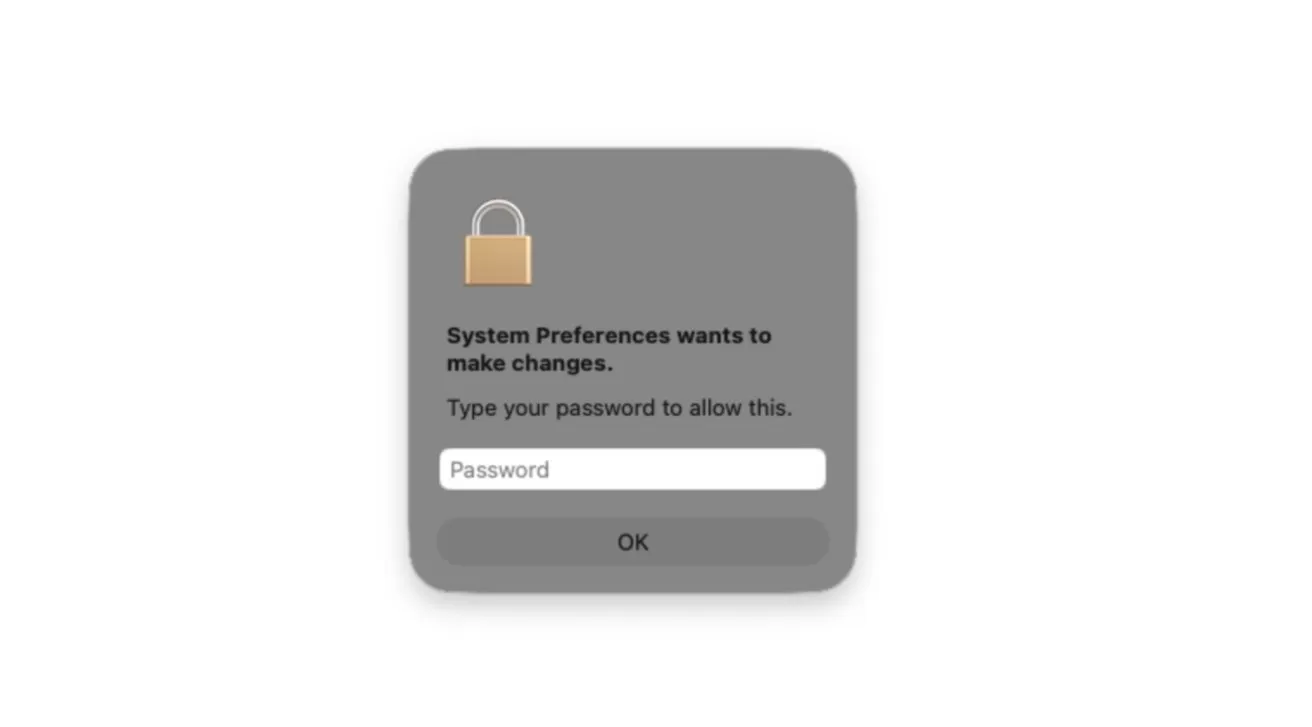 As part of its run, the stealer displays a native password prompt styled to resemble a genuine macOS authorization request. Image credit: Jamf
CrashStealer installs the LaunchAgent at ~/Library/LaunchAgents/com.apple.crashreporter.helper.plist. The configuration starts the malware when the user logs in and relaunches it after an unsuccessful exit, allowing the stealer to remain active between restarts.
Much of the attack relies on legitimate macOS command-line tools. CrashStealer uses Apple utilities for password validation and keychain access, while its Apple-like names help those actions blend into what looks like ordinary system activity.
How to stay safe from CrashStealer
Mac users shouldn't open an unexpected CrashReporter.dmg file. Apple's crash-reporting tools come with macOS, and a separate download claiming to add that functionality should immediately raise suspicion.
The Werkbit delivery chain also shows that a valid signature, Apple notarization and a clean Gatekeeper check aren't guarantees that software is safe. Users should verify unexpected meeting-app downloads with the person or organization that sent the invitation, particularly when the download comes from an unfamiliar domain or requires a private PIN.
- Disconnect the Mac from the internet.
- Use a trusted device to change important passwords.
- Change the Apple Account password and review trusted devices.
- Revoke active browser and account sessions.
- Check accounts for unauthorized activity.
- Move cryptocurrency to a new wallet if needed.
- Erase the Mac and reinstall macOS.
An unexpected password request immediately after opening unfamiliar software is another reason to stop and cancel the prompt. Full Disk Access should only be granted to software that clearly needs it.
Users can review current permissions under System Settings > Privacy & Security > Full Disk Access and inspect background software under System Settings > General > Login Items & Extensions.
Deleting the original disk image isn't enough after CrashStealer has run because the malware copies itself elsewhere and creates a LaunchAgent. Anyone who launched the application and entered a password should treat the Mac as compromised.