Apple has added Genlock to the new Mac Studio and the M5 Pro Mac mini. If you already know what that does for you, you've already called your production manager to make a purchase.
It wasn't the most high-profile aspect of the newly updated Mac Studio, but Genlock will be the reason some users buy it. Genlock is a system for synchronizing footage from multiple cameras and saves potentially hours of manually aligning video and audio tracks.
Genlock has been used by broadcast television productions for decades, and it has been supported by Macs and PCs before. However, it required third-party external hardware that was expensive and complex to use.
For filmmakers and streamers
Apple added Genlock support to the iPhone 17 Pro and iPhone 17 Pro Max back in 2025. Describing it as one of filmmakers' most requested features, senior vice president of worldwide marketing, Greg Joswiak, said it was particularly for content creators and streamers.
"Whether using multiple cameras or onscreen graphics, Genlock allows for accurate and professional-looking transitions without hours of manual frame-by-frame alignment," he said.
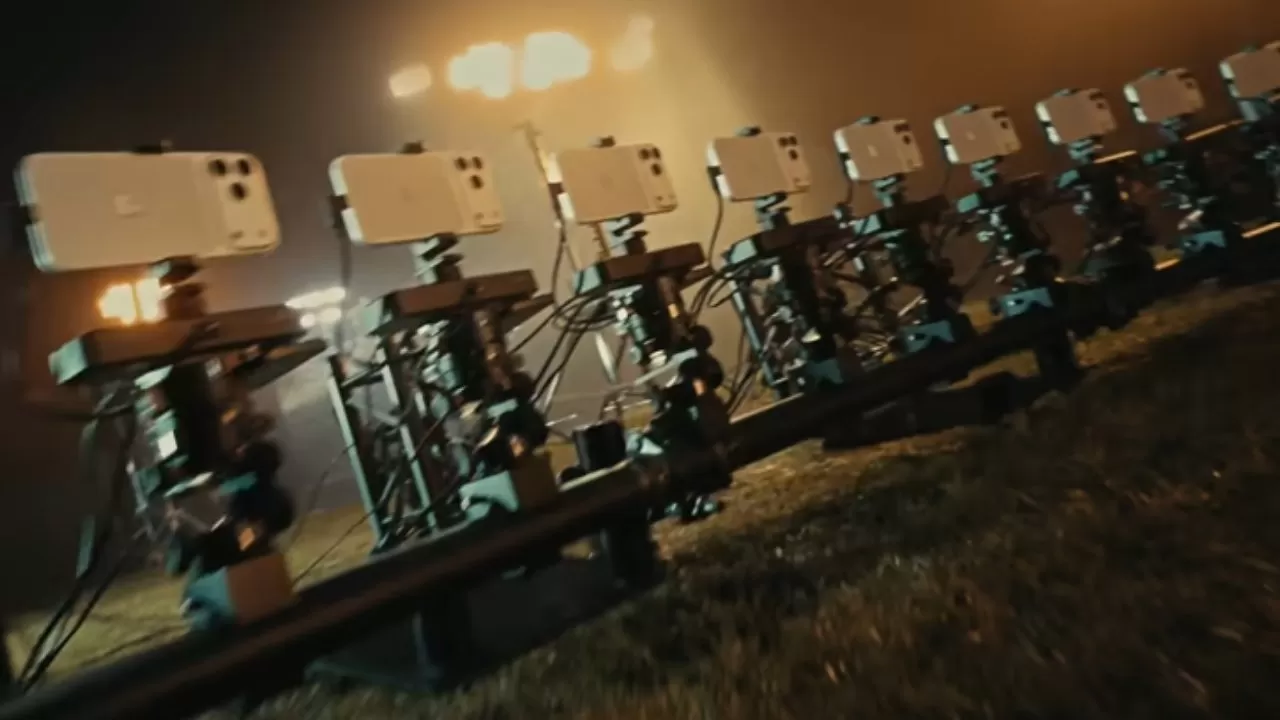
"When using an array of cameras, Genlock enables advanced filmmaking tools and techniques like time-splicing, or 'bullet time,'" he continued, "which allows filmakers to change the audience's perspective while freezing time."
The iPhone 17 Pro models supported Genlock via a then-new Blackmagic Design Camera ProDoc. Apple updated Final Cut Camera to utilize this and shoot video that was genlocked and streamed live to iPads.
Adding Genlock to the Mac
Apple also provided Genlock APIs for other firms, but the biggest move has been adding it as standard to the new M5 Max and M5 Ultra Mac Studio models, plus the New Mac mini. Apple has not given Macs the ability to take footage directly from Final Cut Camera, but it has improved the handling of Genlocked footage.

Genlocking multiple cameras means you can freeze one single moment and show it from many angles - image credit: Apple.
Joswiak is right that the most obvious and very, very welcome improvement is that the footage from multiple cameras is already aligned when it's ingested into Final Cut Pro or other video editing apps.
But beyond that convenience, Genlock also keeps audio in sync. It's common to select one audio source to be heard regardless of which video is being shown, but if you are switching microphones, Genlock should mean it just works.
Then at the same time, in every sense of that phrase, Genlock improves playback in editing sessions. It's most noticeable with a separate external or reference monitor where without Genlock, it's possible to get dropped frames or other issues.
Mac Studio on location
The fact that you can't feed video live from the Final Cut Camera app on iPhone to the Mac Studio is a limitation. It means productions will either still use iPads for monitoring and control during the shoot, or not ingest the footage until later.
Macs can be used in live broadcast production, though. And the addition of Genlock to the Mac Studio will improve switching between camera feeds. It's intended to prevent distractions for the viewer such as digital artefacts remaining on screen, or simply for timings to not feel right.
Apple has not stated whether it used Genlock in May 2026 when it filmed an entire LA Galaxy and Houston Dynamo FC match solely using iPhones. But that recording was using more than a dozen iPhone 17 Pro models with live switching so it probably did.
Yet as impressive a feat as that was in so many ways, viewers still noticed visible compression, heavy image processing, and even shaky tracking shots.
So Genlock is only part of a professional video shoot, but it can be a key one. And now having it supported natively in the Mac Studio does mean that more new Mac Studios with Thunderbolt 5 will making their way into edit suites.