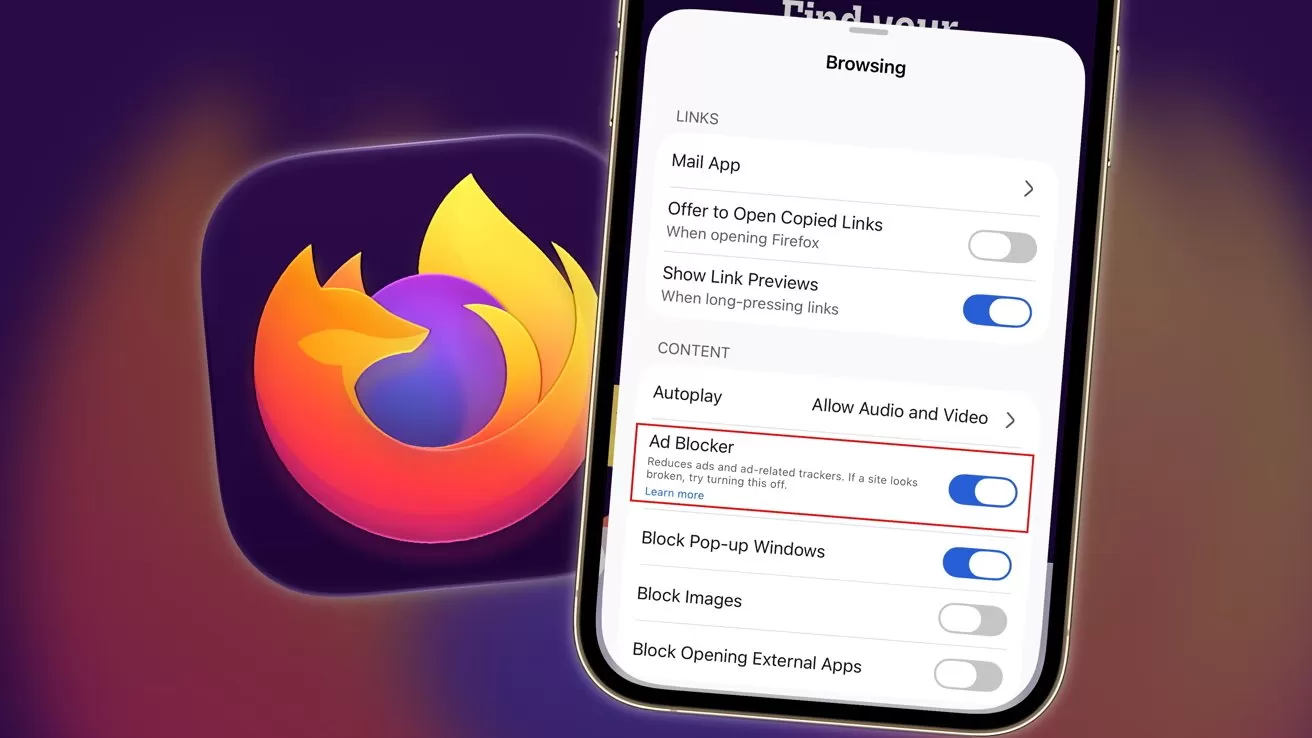
Mozilla is rolling out an ad blocker built into Firefox for iOS. It's a move that can help users protect their privacy more, except in some lucrative situations.
Online advertising can be burdensome for web users, and for many years, some elect to use plug-ins like Adblock to cut down on the ads they see. Now, Mozilla is giving users a way to do it on iOS.
Introduced on Saturday via a support page, Firefox for iOS now includes an optional ad blocker. As Mozilla describes, it is a tool to reduce the amount of advertising shown as you browse the Internet.
The feature is listed as "experimental" and is being rolled out gradually to all users.
Blocking is carried out at a network level, including affecting third-party advertising networks and exchanges, ad-related trackers, and many third-party ads served by websites. The blocking also impacts more intrusive formats, such as pop-ups and overlays.
Not all ads
While the system does use a filter list based on EasyList and blocks ads before loading, there are exceptions.
Mozilla explains that the ad blocker will not block ads shown on search engine results pages. That includes Google, Bing, DuckDuckGo, and other search companies.
It also won't block sponsored content on the Firefox Home or New Tab page. This makes sense, as it's a source of revenue for the organization.
While seemingly not as lucrative, the search deal adblock situation is also going to be down to revenue. Like Apple's Safari, Mozilla also benefits from search deals with Google.
In 2025, the non-profit said that 90% of its revenue came from Firefox. Of that 90%, approximately 85% stemmed from a Google deal.
That certainly gives Firefox an incentive not to bite the hand that feeds it.
How to enable ad-blocking in Firefox for iOS
- Open Firefox and open a webpage.
- Tap the menu and bring up the Site menu.
- Tap Ad Blocker. In the Settings menu that comes up, toggle Ad Blocker on.