As it generally goes with social media advice, viral posts telling iPhone owners to refrigerate overheated devices should be ignored as that will cause more damage than the heat itself. Here's why, and what you should do instead.
It's been a hot summer. Record-smashing high temperatures have been responsible for thousands of hospitalizations and deaths and made it miserable for hundreds of millions of people.
But it's not just people, pets, and wildlife who suffer, either. These high temperatures haven't been particularly kind to our digital devices.
Maybe this scenario has happened to you:
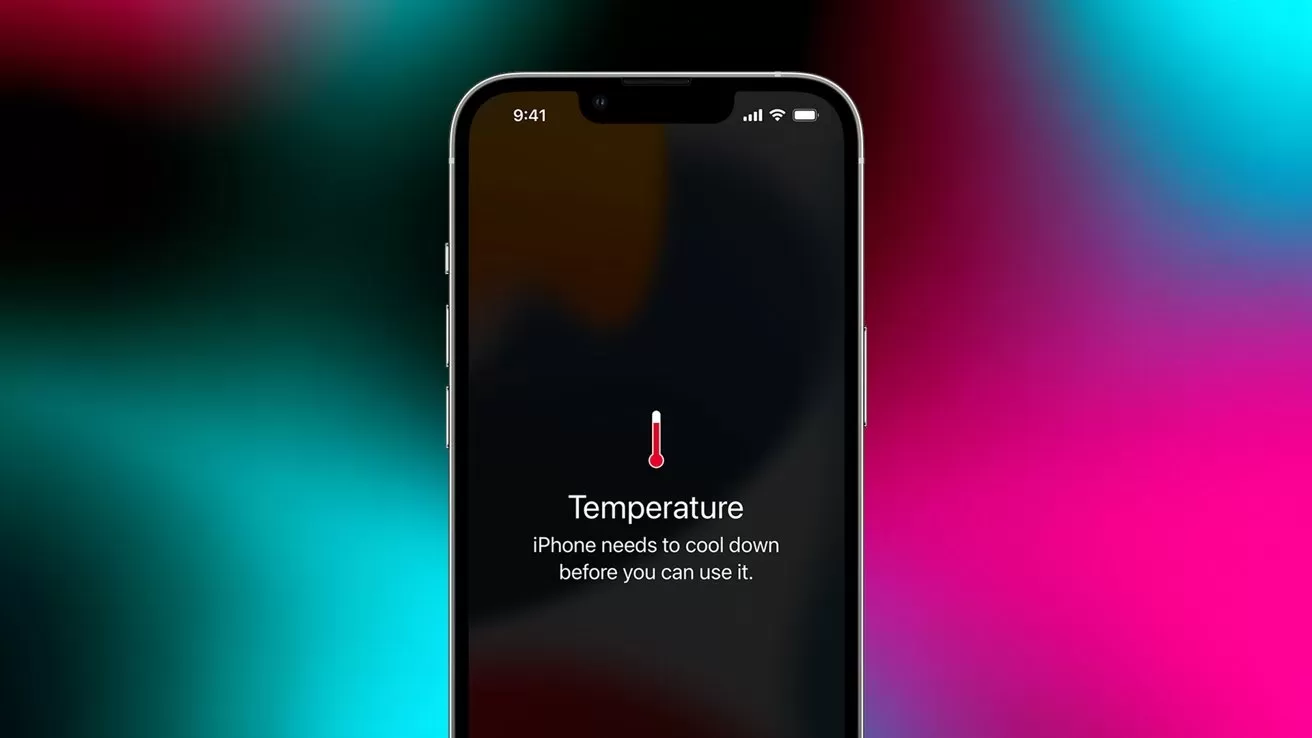
You leave your iPhone in your car or sitting in the sun. When you go to use it, a high temperature warning informs you that your iPhone needs to cool down before you can use it.
In that situation, what did you do? Be careful, though; there's a grossly incorrect answer here that social media would have you believe.
Chances are, your instinct was to cool your phone down as quickly as possible. And for many people, that means turning to the coldest environment you have access to: your refrigerator or freezer.
At first blush, it seems like it would make sense. If your iPhone is running too hot, stashing it in the refrigerator or freezer would quickly bring it back to safe operating temperatures.
It makes enough sense at a glance, that it's now becoming the de facto advice being spread around TikTok and Instagram Reels. And its prevalence on those platforms should be reason enough for you to be skeptical.
Jamie Farnell, who runs a repair shop in Wem, England, has told the BBC that he's seen an increase in heat-related repairs come through his shop. He says that many of these phones have swollen batteries, and he's even had an iPad explode under his care.
But in nearly every case, the problem wasn't the heat. Instead, the issue is internal moisture damage.
It's not the heat, it's the humidity
Even though Apple markets the iPhone as being highly water-resistant, it's not bone dry inside. This is doubly true if your iPhone is a few years old, as water resistance ratings drop over time.
Normally, this ambient humidity isn't a problem. It just hangs out in the air as relatively harmless water vapor.
But if you've ever taken a cold can of soda out of the refrigerator on a hot day, you're aware of what happens when cold metal becomes exposed to a humid environment.
Throwing your iPhone in the fridge or freezer is a great way to cause the humidity to precipitate air. Then, the moisture will collect on the sensitive electronics that make up your device.
And once that happens, it's likely that your battery and other electrical components to sustain damage. Damage that could, best case, shorten the lifespan of your expensive device. And it's cumulative, especially in the case of battery damage.
In the worst-case scenario, your battery could catch fire or even explode.
Prevention beats damage control every time
Instead of worrying about how to manage an overheating device, try to avoid situations that would make it overheat in the first place.
This means you should never leave any of your lithium-ion devices in the car in even moderately hot weather. If it's 85 degrees outside, the interior of your car can easily reach over 115 degrees in under 30 minutes.
Similarly, don't leave your devices sitting in the sun. Stash them in your pocket, a bag, or otherwise cover them from direct sun exposure. If you've got an e-bike, especially if it's dark in color, don't let it sit out in the sun all day.
If you're going to be out in the heat, avoid doing anything that could cause the temperature to rise. Wait until you're in a cooler environment to stream video or play games.
Don't leave your devices sitting on the charger in hot environments. Similarly, if your phone feels like it's running hot, avoid charging it until it cools down.
It's a marathon, not a sprint
Of course, in the event that you do get a temperature warning, your best course of action is just to wait. Put your device in a place outside of direct sunlight and don't touch it.
Then, give your device a break for a few hours. You can still use it, but try to avoid doing whatever it was that led to the warning in the first place.
Keep an eye on your device for a few days. If you notice glitching, slowdowns, or repeated temperature warnings, it may be time to take it to an authorized service provider for diagnostics and repairs.