
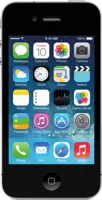
iOS 4.3.1 (8G4) for iPhone 4 (GSM)
Not signed
Released —
iPhone3,1
Download IPSW
iPhone3,1_4.3.1_8G4_Restore.ipsw
Apple no longer signs this version. Finder and iTunes will refuse to install it on iPhone 4 (GSM) — the latest signed version is iOS 7.1.2.
Download iOS 4.3.1
The file is downloaded directly from Apple’s servers (updates.cdn-apple.com). Large files download faster with a download manager or curl -O.
Verify the file
- SHA1
- 25b6235a35f8d0d41bcf8750193f8b43ceff1ca1
- MD5
- 32f9a71430c4dd025adab3b73d4a5242
On a Mac: shasum -a 256 iPhone3,1_4.3.1_8G4_Restore.ipsw · On Windows: certutil -hashfile iPhone3,1_4.3.1_8G4_Restore.ipsw SHA256
Firmware details
- Version
- iOS 4.3.1
- Build
8G4- Released
- —
- Uploaded
- March 24, 2011
- File size
- 666.0 MB (698,304,690 bytes)
- Signing
- Unsigned
Device
- Name
- iPhone 4 (GSM)
- Identifier
iPhone3,1- Board
n90ap- Platform
s5l8930x- CPID
0x8930- BDID
0x0
Jailbreak
No public jailbreak is known for iOS 4.3.1 on iPhone 4 (GSM).
Real jailbreaks are always free and open source. Sites asking you to pay, install profiles or “verify” with surveys are scams.
How to install iOS 4.3.1 with this IPSW
- Back up your iPhone 4 (GSM) to iCloud or your computer — restoring erases the device.
- Turn off Find My in Settings → [your name] → Find My.
- Connect the device with a cable and open Finder (macOS Catalina or later) or Apple Devices / iTunes (Windows).
- Hold Option (Mac) or Shift (Windows) and click Restore. Choose
iPhone3,1_4.3.1_8G4_Restore.ipsw. - Wait — the device restarts several times. Don’t disconnect it until you see the Hello screen.
Stuck on the Apple logo? Put the device into recovery mode first, then restore.