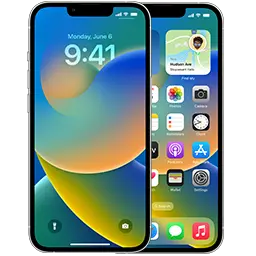
All Apple platforms now use the same system as the iPhone: register your Apple Account with the free Apple Developer program (or the public Apple Beta Software Program), then switch on Beta Updates. Downloadable beta profiles were retired with the x.4 releases of 2023 (iPadOS 16.4, watchOS 9.4, tvOS 16.4, macOS 13.4).
First, register once at developer.apple.com/account (free — don’t pay for enrollment) or at beta.apple.com for public betas. Then follow the steps for your device.
iPad — iPadOS 27.2 beta 3 (24B5099f)
- Back up the iPad (Finder / Apple Devices, encrypted).
- Open Settings → General → Software Update → Beta Updates.
- Choose iPadOS Developer Beta (or Public Beta), go back and tap Update Now.
Mac — macOS 27.2 beta 3 (26B5101f)
- Back up with Time Machine.
- Open System Settings → General → Software Update.
- Click the ⓘ next to Beta Updates, choose macOS Developer Beta and click Done.
- Click Upgrade Now.
On macOS 13.3 or earlier, the legacy Beta Access Utility from our beta page is the only option.
Apple Watch — watchOS 27.2 beta 3 (24S5101f)
- Install the matching iOS beta on the paired iPhone first — watchOS betas generally require it.
- On the iPhone, open the Watch app → General → Software Update → Beta Updates.
- Choose watchOS Developer Beta, go back and install. Keep the watch on its charger with at least 50% battery.
Warning: you cannot downgrade an Apple Watch yourself. Once installed, you stay on betas until the next public release.
Apple TV — tvOS 27.2 beta 3 (24K5103f)
- Make sure the Apple TV is signed in with the Apple Account you registered.
- Open Settings → System → Software Updates and turn on Get Beta Updates.
- Select Update Software.
The old tvOS_Beta_Profile.mobileconfig method (Settings → General → Privacy → Send Apple TV Analytics → Play/Pause) only applies to tvOS 16.3 and earlier.
Vision Pro — visionOS 27.2 beta 3 (24N5103f)
- Open Settings → General → Software Update → Beta Updates.
- Choose visionOS Developer Beta and install.
Restoring Vision Pro requires Apple’s Developer Strap or an Apple Store visit, so only install betas if you can live with bugs.
HomePod
HomePod betas are invite-only through AppleSeed. Enrolled members enable them in the Home app → Home Settings → Software Update. HomePod cannot be downgraded.
Current builds for every platform are always listed on our beta page, which updates automatically when Apple seeds a new build.