
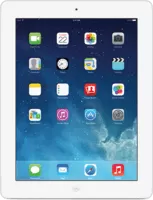
iPadOS 8.3 (12F69) for iPad 2 (CDMA)
Not signed
Released Apr 8, 2015
iPad2,3
Download IPSW
iPad2,3_8.3_12F69_Restore.ipsw
Apple no longer signs this version. Finder and iTunes will refuse to install it on iPad 2 (CDMA) — the latest signed version is iPadOS 9.3.6.
Download iPadOS 8.3
The file is downloaded directly from Apple’s servers (updates.cdn-apple.com). Large files download faster with a download manager or curl -O.
Verify the file
- SHA256
- 17566dd2a23d51ff0ca77d81becb0d4bb02ce0a0c2da667f457e20ffe3f4275f
- SHA1
- 1fe195fa6c22b75b548360d0e3c21202fa6eafc6
- MD5
- e205290040e12bb34ad36fcbda1f3961
On a Mac: shasum -a 256 iPad2,3_8.3_12F69_Restore.ipsw · On Windows: certutil -hashfile iPad2,3_8.3_12F69_Restore.ipsw SHA256
Firmware details
- Version
- iPadOS 8.3
- Build
12F69- Released
- April 8, 2015
- Uploaded
- April 1, 2015
- File size
- 1.30 GB (1,395,715,870 bytes)
- Signing
- Unsigned
Device
- Name
- iPad 2 (CDMA)
- Identifier
iPad2,3- Board
k95ap- Platform
s5l8940x- CPID
0x8940- BDID
0x2
Jailbreak
No public jailbreak is known for iPadOS 8.3 on iPad 2 (CDMA).
Real jailbreaks are always free and open source. Sites asking you to pay, install profiles or “verify” with surveys are scams.
How to install iPadOS 8.3 with this IPSW
- Back up your iPad 2 (CDMA) to iCloud or your computer — restoring erases the device.
- Turn off Find My in Settings → [your name] → Find My.
- Connect the device with a cable and open Finder (macOS Catalina or later) or Apple Devices / iTunes (Windows).
- Hold Option (Mac) or Shift (Windows) and click Restore. Choose
iPad2,3_8.3_12F69_Restore.ipsw. - Wait — the device restarts several times. Don’t disconnect it until you see the Hello screen.
Stuck on the Apple logo? Put the device into recovery mode first, then restore.
Build 12F69 is also available for
iPad Air 2 (Cellular)
iPad Air 2 (WiFi)
iPad mini 3 (China)
iPad mini 3 (Cellular)
iPad mini 3 (WiFi)
iPad mini 2 (China)
iPad Air (China)
iPad Air (Cellular)
iPad Air (WiFi)
iPad mini 2 (Cellular)
iPad mini 2 (WiFi)
iPad 4 (Global)
iPad 4 (GSM)
iPad 4 (WiFi)
iPad mini (Global)
iPad mini (GSM)
iPad mini (WiFi)
iPod touch 5
Apple TV 3 (2013)
Apple TV 3
iPad 3 (GSM)
iPad 3 (CDMA)
iPad 3 (WiFi)
iPad 2 (Mid 2012)
iPad 2 (GSM)
iPad 2 (WiFi)