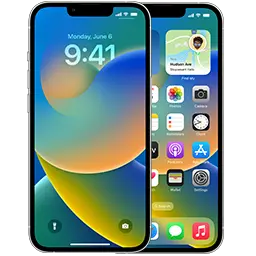
iOS 27 runs on 34 iPhone models, from the iPhone 11 Pro Max to the newest models, and iPadOS 27 on 50 iPad models. The lists below come straight from Apple’s firmware releases.
iPhones that support iOS 27
- iPhone 18 Pro
iPhone19,2 - iPhone 18 Pro Max (US)
iPhone19,3 - iPhone 18 Pro Max
iPhone19,7 - iPhone 17e
iPhone18,5 - iPhone 17
iPhone18,3 - iPhone Air
iPhone18,4 - iPhone 17 Pro Max
iPhone18,2 - iPhone 17 Pro
iPhone18,1 - iPhone 16e
iPhone17,5 - iPhone 16 Pro
iPhone17,1 - iPhone 16
iPhone17,3 - iPhone 16 Pro Max
iPhone17,2 - iPhone 16 Plus
iPhone17,4 - iPhone 15 Pro Max
iPhone16,2 - iPhone 15 Pro
iPhone16,1 - iPhone 15 Plus
iPhone15,5 - iPhone 15
iPhone15,4 - iPhone 14 Pro Max
iPhone15,3 - iPhone 14 Pro
iPhone15,2 - iPhone 14 Plus
iPhone14,8 - iPhone 14
iPhone14,7 - iPhone SE (3rd generation)
iPhone14,6 - iPhone 13
iPhone14,5 - iPhone 13 mini
iPhone14,4 - iPhone 13 Pro Max
iPhone14,3 - iPhone 13 Pro
iPhone14,2 - iPhone 12 Pro
iPhone13,3 - iPhone 12 Pro Max
iPhone13,4 - iPhone 12 mini
iPhone13,1 - iPhone 12
iPhone13,2 - iPhone SE (2020)
iPhone12,8 - iPhone 11 Pro
iPhone12,3 - iPhone 11
iPhone12,1 - iPhone 11 Pro Max
iPhone12,5
iPads that support iPadOS 27
- iPad Air 13-inch (M4, WiFi)
iPad16,10 - iPad Air 11-inch (M4, WiFi)
iPad16,8 - iPad Air 13-inch (M4, Cellular)
iPad16,11 - iPad Air 11-inch (M4, Cellular)
iPad16,9 - iPad Pro 11-inch (M5, Cellular)
iPad17,2 - iPad Pro 11-inch (M5, WiFi)
iPad17,1 - iPad Pro 13-inch (M5, WiFi)
iPad17,3 - iPad Pro 13-inch (M5, Cellular)
iPad17,4 - iPad Air 13-inch (M3, Cellular)
iPad15,6 - iPad (A16, WiFi)
iPad15,7 - iPad Air 11-inch (M3, Cellular)
iPad15,4 - iPad (A16, Cellular)
iPad15,8 - iPad Air 13-inch (M3, WiFi)
iPad15,5 - iPad Air 11-inch (M3, WiFi)
iPad15,3 - iPad mini (A17 Pro, WiFi)
iPad16,1 - iPad mini (A17 Pro, Cellular)
iPad16,2 - iPad Air (M2, 11-inch, WiFi)
iPad14,8 - iPad Air (M2, 11-inch, Cellular)
iPad14,9 - iPad Air (M2, 13-inch, Cellular)
iPad14,11 - iPad Pro (M4, 13-inch, Cellular)
iPad16,6 - iPad Pro (M4, 13-inch, WiFi)
iPad16,5 - iPad Air (M2, 13-inch, WiFi)
iPad14,10 - iPad Pro (M4, 11-inch, WiFi)
iPad16,3 - iPad Pro (M4, 11-inch, Cellular)
iPad16,4 - iPad Pro (12.9-inch, Cellular) (6th generation)
iPad14,6 - iPad Pro (12.9-inch, WiFi) (6th generation)
iPad14,5 - iPad Pro (11-inch, Cellular) (4th generation)
iPad14,4 - iPad Pro (11-inch, WiFi) (4th generation)
iPad14,3 - iPad (Cellular, 10th generation)
iPad13,19 - iPad (WiFi, 10th generation)
iPad13,18 - iPad Air 5 (WiFi)
iPad13,16 - iPad Air 5 (Cellular)
iPad13,17 - iPad mini 6 (Cellular)
iPad14,2 - iPad mini 6 (WiFi)
iPad14,1 - iPad (Cellular, 9th generation)
iPad12,2 - iPad (WiFi, 9th generation)
iPad12,1 - iPad Pro (11-inch, WiFi) (3rd generation)
iPad13,6 - iPad Pro (11-inch, Cellular) (3rd generation)
iPad13,7 - iPad Pro (12.9-inch, Cellular) (5th generation)
iPad13,10 - iPad Pro (12.9-inch, WiFi) (5th generation)
iPad13,8 - iPad Pro (12.9-inch, Cellular) (5th generation)
iPad13,11 - iPad Pro (12.9-inch, WiFi) (5th generation)
iPad13,9 - iPad Pro (11-inch, Cellular) (3rd generation)
iPad13,5 - iPad Pro (11-inch, WiFi) (3rd generation)
iPad13,4 - iPad Air 4 (Cellular)
iPad13,2 - iPad Air 4 (WiFi)
iPad13,1 - iPad Pro 4 (11-inch, Cellular)
iPad8,10 - iPad Pro 4 (12.9-inch, WiFi)
iPad8,11 - iPad Pro 4 (11-inch, WiFi)
iPad8,9 - iPad Pro 4 (12.9-inch, Cellular)
iPad8,12
Devices that stopped at version 26
These models can’t install version 27, but Apple still provides 26.x security updates for them:
- iPad 8 (Cellular) — latest 26.7.1
- iPad 8 (WiFi) — latest 26.7.1
- iPad Air 3 (Cellular) — latest 26.7.1
- iPad Air 3 (WiFi) — latest 26.7.1
- iPad mini 5 (Cellular) — latest 26.7.1
- iPad mini 5 (WiFi) — latest 26.7.1
- iPad Pro 3 (12.9-inch, Cellular, 1TB Model) — latest 26.7.1
- iPad Pro 3 (12.9-inch, Cellular) — latest 26.7.1
- iPad Pro 3 (12.9-inch, WiFi) — latest 26.7.1
- iPad Pro 3 (11-inch, Cellular, 1TB Model) — latest 26.7.1
- iPad Pro 3 (11-inch, WiFi, 1TB Model) — latest 26.7.1
- iPad Pro 3 (11-inch, WiFi) — latest 26.7.1
- iPad Pro 3 (11-inch, Cellular) — latest 26.7.1
- iPad Pro 3 (12.9-inch, WiFi, 1TB Model) — latest 26.7.1
How to update
Go to Settings → General → Software Update. If the update fails or your device is stuck, download the IPSW for your model from our iPhone or iPad list and follow the restore guide.
Not sure which model you have? Enter the model number from Settings → General → About on our identify page.