
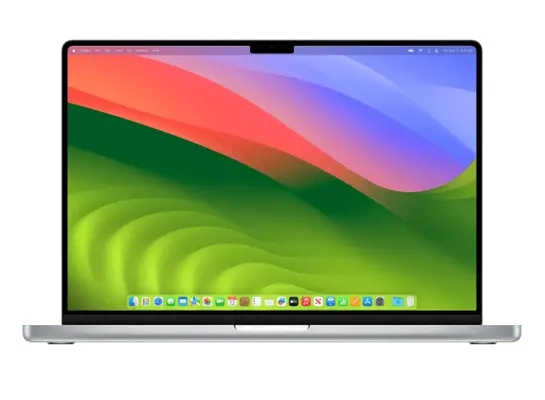
macOS 15.0 (24A335) for MacBook Pro (M3 Pro, 14-inch, Nov 2023)
Signed — can be installed
Released Sep 16, 2024
Mac15,6
Download IPSW
UniversalMac_15.0_24A335_Restore.ipsw
The file is downloaded directly from Apple’s servers (updates.cdn-apple.com). Large files download faster with a download manager or curl -O.
Verify the file
- SHA256
- 6e45169dcfe445560b217da1e63493b22298bd240e6e5f20b0e91fca820d4df0
- SHA1
- 24fb273caae55fe9f878f8b3edc32e1be119379a
- MD5
- b63cf76adcf710c34239adc2ae20cd38
On a Mac: shasum -a 256 UniversalMac_15.0_24A335_Restore.ipsw · On Windows: certutil -hashfile UniversalMac_15.0_24A335_Restore.ipsw SHA256
Firmware details
- Version
- macOS 15.0
- Build
24A335- Released
- September 16, 2024
- Uploaded
- September 6, 2024
- File size
- 14.66 GB (15,736,994,120 bytes)
- Signing
- Signed
Device
- Identifier
Mac15,6- Board
J514sAP- Platform
t6030- CPID
0x6030- BDID
0x4
How to install macOS 15.0 with this IPSW
- Back up your MacBook Pro (M3 Pro, 14-inch, Nov 2023) to iCloud or your computer — restoring erases the device.
- Turn off Find My in Settings → [your name] → Find My.
- Connect the device with a cable and open Finder (macOS Catalina or later) or Apple Devices / iTunes (Windows).
- Hold Option (Mac) or Shift (Windows) and click Restore. Choose
UniversalMac_15.0_24A335_Restore.ipsw. - Wait — the device restarts several times. Don’t disconnect it until you see the Hello screen.
Stuck on the Apple logo? Put the device into recovery mode first, then restore.
Build 24A335 is also available for
MacBook Air (13-inch, M3, 2024)
MacBook Air (15-inch, M3, 2024)
MacBook Pro (M3 Pro, 16-inch, Nov 2023)
MacBook Pro (M3 Max, 14-inch, Nov 2023)
MacBook Pro (M3 Max, 14-inch, Nov 2023)
MacBook Pro (M3, 14-inch, Nov 2023)
MacBook Pro (M3 Max, 16-inch, Nov 2023)
iMac (Four Ports, 24-inch, 2023)
iMac (Two Ports, 24-inch, 2023)
MacBook Pro (M3 Max, 16-inch, Nov 2023)
Mac Pro (2023)
Mac Studio (M2 Ultra, 2023)
Mac Studio (M2 Max, 2023)
MacBook Air (15-inch, M2, 2023)
MacBook Pro (M2 Pro, 16-inch, 2023)
Mac mini (M2 Pro, 2023)
MacBook Pro (M2 Pro, 14-inch, 2023)
MacBook Pro (M2 Max, 16-inch, 2023)
MacBook Pro (M2 Max, 14-inch, 2023)
Mac mini (M2, 2023)
MacBook Pro (13-inch, M2, 2022)
MacBook Air (M2, 2022)
Apple Virtual Machine 1
Mac Studio (M1 Ultra)
Mac Studio (M1 Max)
MacBook Pro (M1 Max, 14-inch, 2021)
MacBook Pro (M1 Pro, 16-inch, 2021)
MacBook Pro (M1 Pro, 14-inch, 2021)
MacBook Pro (M1 Max, 16-inch, 2021)
iMac 24-inch (M1, Four Ports, 2021)
iMac 24-inch (M1, Two Ports, 2021)
Mac mini (M1, Late 2020)
MacBook Air (M1, Late 2020)
MacBook Pro (M1, Late 2020)