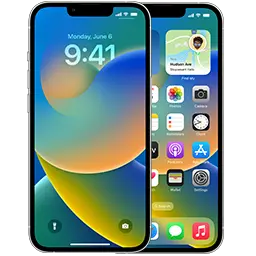
Since iOS 16.4, Apple no longer uses downloadable .mobileconfig beta profiles on iPhone. Beta access is now tied to your Apple Account: once your account is registered with the free Apple Developer program, a Beta Updates switch appears in Settings and you can install the latest beta in a few taps — no paid membership, no third-party profile sites.
The current developer beta is iOS 27.2 beta 3 (build 24B5099f). The current public release is iOS 27.0.1.
Before you start
- Check compatibility. iOS 27 runs on the iPhone 11 Pro Max and newer. See the full list in iOS 27 compatible devices.
- Make an archived backup. Back up with Finder (Mac) or Apple Devices / iTunes (Windows) and tick Encrypt local backup so passwords and Health data are included. A backup made on a beta cannot be restored to an older iOS version, so do this before installing.
- Free up space. Leave 10–15 GB free; the installer needs room to unpack.
- Charge and connect. At least 50% battery (or plugged in) and a stable Wi-Fi network.
Step 1 — Register your Apple Account for free
- Install the Apple Developer app from the App Store, or open developer.apple.com/account in Safari.
- Sign in with the same Apple Account you use on your iPhone.
- Accept the Apple Developer Agreement.
- Stop there — you do not need to tap Enroll or pay. The free registration is enough for developer betas.
Prefer something more stable? Sign up at beta.apple.com instead. Public betas arrive a little later than developer betas and are usually less buggy.
Step 2 — Turn on Beta Updates
- Open Settings → General → Software Update.
- Tap Beta Updates.
- Choose iOS 27 Developer Beta (or Public Beta). Check that the Apple Account shown at the bottom is the one you registered.
- Go back. After a few seconds the beta appears as a normal update.
Step 3 — Download and install
Tap Update Now, enter your passcode and accept the terms. The iPhone downloads the update, prepares it and restarts. Expect 20–40 minutes in total. Don’t interrupt it while the progress bar is showing.
Beta Updates is missing — what to do
- Update first. The option only exists on iOS 16.4 or later. If you are on an older version, install the latest public update, then look again.
- Restart Settings. Force-quit the Settings app or restart the iPhone after registering — it can take a few minutes to show up.
- Wrong account. In Beta Updates, tap the Apple Account at the bottom and switch to the one you used on the developer site.
- “Unable to Check for Update”. Delete any half-downloaded update in Settings → General → iPhone Storage, then try another Wi-Fi network.
Looking for the iOS 18 beta?
The iOS 18 beta program has ended — Apple only seeds betas for the newest iOS version. If your iPhone supports iOS 27, follow the steps above to get the current beta. The iPhone XS, XS Max and XR cannot run iOS 27; their last version is iOS 18.7.10 and they no longer receive betas.
FAQ
Do I still need a .mobileconfig beta profile?
No. Profiles stopped working for iPhone betas with iOS 16.4. See our beta profile archive for the history and legacy files.
Is it free?
Yes. Developer betas need only the free developer registration; public betas need only the Apple Beta Software Program.
How do I go back to the stable version?
Turn Beta Updates off and wait for the next public release, or restore the latest signed IPSW. Step-by-step: how to leave the iOS beta.